9 Practical Ways to Use AI Responsibly for Your 2026 PhD Thesis
The dissertation is a project of original thinking, deep analysis, and careful communication — not a test of who can type the fastest. Still, the tools available in 2026 make it reasonable and responsible to lean on AI for tasks that speed work without undermining intellectual ownership. Use AI to amplify your skills, not replace them. Below are nine practical, ethically grounded workflows and example prompts to help you use AI responsibly across the thesis lifecycle: outlining, literature synthesis, drafting, editing, code and figure assistance, reproducibility checks, and defense prep. Each item includes what AI should and should not do, sample prompts you can adapt, and quick checks to stay aligned with university and journal policies.
Why this matters now
- The 2024 Survey of Earned Doctorates reports 58,131 research doctorates awarded in the U.S. — a continuing growth trend that makes timely, efficient thesis completion important (2024 Survey of Earned Doctorates, most recent release).
- Employment outcomes show 40% of new doctorate recipients take industry positions and 40% academia, signaling that clarity, reproducibility, and transferable skills matter whether you aim for a postdoc, faculty role, or industry job (2024 SED).
- Universities and journals now have explicit AI policies; using AI without transparency risks academic integrity breaches and may lead to retraction or misconduct proceedings. Treat AI like any research tool: document, justify, and validate.
How to use this guide Each of the nine items below includes:
- What AI is useful for
- What AI must not do
- A concrete workflow
- Example prompts you can adapt
- Quick integrity checks
1. AI-assisted project outlining and timeboxing
What AI can do: Generate structured chapter outlines, suggest milestones, and convert deadlines into weekly task lists. What AI must not do: Create a research plan that claims work you haven't vetted or commits you to supervisors without discussion.
Workflow:
- Draft a 1–2 paragraph research synopsis yourself.
- Ask the model to produce a chapter-by-chapter outline and a 12–18 month week-by-week timetable.
- Review with advisor and adjust.
Example prompt:
- “I’m studying [one-sentence research question]. Based on this, draft a 9-chapter dissertation outline with 3–7 subheadings per chapter, expected word counts, and a 12-month weekly milestone schedule. Flag tasks that need preliminary experiments, IRB, or data acquisition.”
Integrity checks:
- Add advisor feedback as comments to the outline.
- Keep the original synopsis and iterations for documentation.
2. Literature synthesis and gap mapping (with citation verification)
What AI can do: Summarize themes across papers, suggest conceptual frameworks, and identify potential gaps. What AI must not do: Fabricate citations or present AI-generated summaries as if you did the reading without verifying sources.
Workflow:
- Provide AI with a bibliography (PDFs or citation list).
- Ask for thematic summaries and an annotated bibliography noting which claims are supported by which specific papers.
- Cross-check a sample (10–20%) of AI-summarized claims against the original papers.
Example prompt:
- “I’m attaching 25 PDFs and a RIS file. Produce a 1-page synthesis of the main empirical findings, 3 competing theoretical frames, and a table mapping each paper to the central claim(s). For each claim, include the exact page or section in the paper supporting it.”
Integrity checks:
- Verify any paraphrase or quotation against the original text.
- Never include AI-generated summaries in your dissertation without citing the original papers.
3. Drafting clearer prose and argument refinement
What AI can do: Rephrase sentences for clarity, improve transitions, and suggest stronger topic sentences. What AI must not do: Generate whole literature review or argument sections you then submit as original with no attribution or verification.
Workflow:
- Write a short, rough draft of a section (200–800 words).
- Use AI to produce 2–3 alternative phrasings, a compressed summary (150–250 words), and a list of logical weaknesses.
- Implement revisions and track changes.
Example prompt:
- “Here is a 400-word draft of my methods rationale. Provide: (a) a revised version preserving technical content, (b) a 150-word concise summary for the abstract, (c) three points where reasoning or assumption clarity is weak.”
Integrity checks:
- Keep both pre- and post-AI drafts and note your edits in a version log.
4. Code assistance and reproducibility debugging
What AI can do: Help write, refactor, and debug code; suggest reproducible workflows; produce environment files (e.g., conda, Docker). What AI must not do: Be the only validator of statistical methods or results. You must understand and validate outputs.
Workflow:
- Provide anonymized sample data and the exact error messages or the computational goal.
- Use AI to propose fixes and generate a Dockerfile or environment.yml for reproducibility.
- Run tests and unit checks yourself; have a peer or mentor review statistical choices.
Example prompt:
- “I have a Python script that fits a mixed-effects model on dataset X (attached sample). It returns NaNs in variance components. Show likely causes, propose code fixes, and produce a Dockerfile that reproduces the environment (Python version, packages, versions).”
Integrity checks:
- Create an automated test or seed for reproducibility.
- Log package versions and random seeds; deposit code in a repository with an open-source license if allowed.
5. Figure and visualization assistance
What AI can do: Recommend effective chart types, provide code to generate publication-ready figures, and help annotate plots for readability. What AI must not do: Invent data or manipulate visuals unethically (e.g., truncating axes to exaggerate effects).
Workflow:
- Describe data structure and intended message.
- Ask for code snippets (matplotlib/ggplot/Plotly) and suggestions for color-blind-safe palettes and caption text.
- Generate figures locally and inspect every visual element for accuracy.
Example prompt:
- “I have a time-series dataset with 10 subjects and weekly measures over 52 weeks. Suggest two visualization approaches that show group trends vs. individual variability. Provide Python (seaborn/matplotlib) code for both, with color-blind-safe palettes.”
Integrity checks:
- Include raw data links or supplementary materials if journals require.
- Be transparent in captions about smoothing, aggregation, or exclusion.
6. Fast-first-pass statistics and method explanations
What AI can do: Explain statistical methods in plain language, propose appropriate analyses, and outline assumptions. What AI must not do: Replace statistical consultation with an adviser or statistician; do not rely on AI to validate p-values or model fit.
Workflow:
- Summarize your data (sample size, variables, distributional properties).
- Ask AI for candidate analyses and a checklist of assumptions to test.
- Run the recommended tests and consult a statistician for final analysis and interpretation.
Example prompt:
- “My dependent variable is continuous but right-skewed; I have repeated measures and random intercepts. Suggest appropriate models, necessary diagnostic plots, and R/Python code snippets. Flag what to check for model assumptions.”
Integrity checks:
- Always perform diagnostic plots and share results with a statistician/advisor.
7. Reference management and citation formatting
What AI can do: Generate consistent references in styles like APA, IEEE, or journal templates and clean CSV/RIS exports. What AI must not do: Invent DOIs, mismap metadata, or use AI to fabricate references.
Workflow:
- Use a reference manager (Zotero, Mendeley, EndNote) as the single source of truth.
- Use AI to detect duplicates, suggest missing metadata, or batch-format references for a target journal.
- Verify DOIs and metadata against CrossRef.
Example prompt:
- “Here’s my RIS export. Clean duplicates, fill missing DOIs using CrossRef lookup, and produce a bibliography in [Journal X] format.”
Integrity checks:
- Cross-verify 5–10 randomly selected entries for DOI accuracy.
8. Plagiarism-safe paraphrasing and language accessibility
What AI can do: Help rewrite dense passages into clearer prose or non-technical summaries without changing meaning. What AI must not do: Produce paraphrases that are too close to source texts or mask unattributed use of others’ ideas.
Workflow:
- Provide the original paragraph and request simpler versions with explicit instruction to avoid adding new claims.
- Use similarity checks (Turnitin or institutional tools) before submission.
- Cite the original appropriately.
Example prompt:
- “Rewrite this 180-word paragraph into a clear 120-word paragraph suitable for a non-specialist audience. Preserve meaning exactly; do not add conclusions or citations.”
Integrity checks:
- Run resulting text through your institution’s similarity checker and manually compare to the source.
9. Defense preparation and mock Q&A
What AI can do: Generate probable questions, help craft succinct answers, and propose slide scripts. It’s an excellent rehearsal partner. What AI must not do: Produce answers that you memorize without understanding; AI should not be quoted as an authority in your defense.
Workflow:
- Provide your abstract, slide deck, and committee bios (public info).
- Ask the model for likely committee questions, softball and hardball versions, and short, evidence-based answer outlines.
- Rehearse aloud, then refine based on advisor feedback.
Example prompt:
- “Here’s my 12-slide defense deck and abstract. Generate 20 probable committee questions (5 easy, 10 technical, 5 on limitations/next steps). For each, provide a 2–3 sentence answer outline and one reference or data point to cite.”
Integrity checks:
- Practice in front of peers; adjust answers to reflect your genuine understanding.
Practical checklist: university & journal policy, integrity, and transparency
- Read your university’s AI policy and your department’s guidance before using AI in substantive writing. Many institutions now require disclosure of AI usage.
- Disclose AI assistance where required in an acknowledgments or methods section (e.g., “Portions of language editing were assisted by [tool]”).
- Do not present AI-generated ideas, interpretations, or novel analyses as solely your intellectual contribution.
- Keep version histories showing where AI was used and what you changed.
A few quick data-minded reminders
- Completion and employability pressures are real: the 2024 SED shows nearly 70% of S&E doctorate recipients had definite commitments at graduation, but commitments fluctuated by field; using AI responsibly can reduce time spent on chores and increase time for core contributions (2024 SED, most recent).
- Given the changing field distribution — computer and information sciences grew to 5% of all doctorates in 2024 — your discipline may already have explicit norms about computational reproducibility; follow them (2024 SED).
Conclusion AI in 2026 is a force multiplier when used transparently, ethically, and with domain expertise. Treat AI like a research assistant: it can structure outlines, summarize literature, clean code, and rehearse defenses — but ultimate responsibility for intellectual content, analyses, and ethical compliance rests with you. Use the nine workflows above as practical templates: adapt prompts, document usage, validate outputs, and discuss AI use with your advisor early.
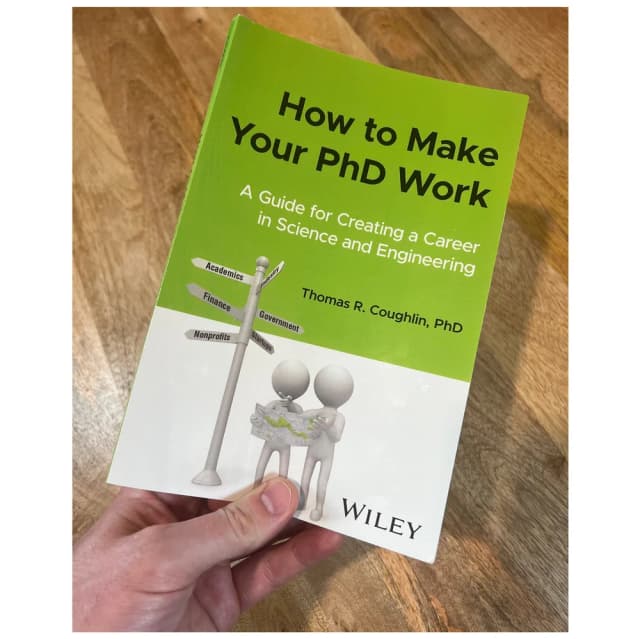
Want more tools and timelines to finish your PhD efficiently? Check the PhD Source book for time-tested strategies on completing a dissertation and visit PhD Source for templates, coaching options, and the newsletter to get weekly practical advice tailored to doctoral research and careers.